- 2026/06/09
Managing sustainability data efficiently is essential as organizations scale their footprint calculations over time. To support performance, cost control, and long‑term data governance, SAP Sustainability Footprint Management now introduces the offloading of calculated footprint inventories.
With the new Manage Footprint Data Offloads app, organizations can move calculated footprint inventory data to long‑term storage once it is no longer required for operational use, helping optimize system resources while maintaining compliance and transparency.
Why offloading footprint inventories matters
As sustainability reporting matures, footprint inventories accumulate rapidly. Retaining all calculated data indefinitely in the active system can increase license consumption and affect system performance.
The new offloading capability helps organizations to:
- Reduce commercial license usage by excluding offloaded data
- Maintain optimal system performance
- Establish a clear and auditable data lifecycle
- Align footprint data management with sustainability and governance objectives
Introducing Footprint Data Offloading
The new footprint data offloading feature allows you to move calculated footprint inventories to long‑term storage after a defined period.
Offloaded data includes:
- Calculation results
- The footprint inventory itself
- Unreferenced business transaction data
- GHG collections
- Footprint records not referenced in calculations, such as purchased products or waste footprints
Once offloaded, this data is removed from SAP Sustainability Footprint Management and is no longer included in commercial usage calculations.
Managing Residence and Retention Periods
To support structured data governance, the Manage Footprint Inventory Scopes app now allows you to define two time periods for each footprint inventory scope:
Residence Period
The minimum time calculated footprint inventory data must remain in the system before becoming eligible for offloading.
Minimum: 24 months
Retention Period
The total time the data must be kept, including both system residence and long‑term storage.
Minimum: 24 months
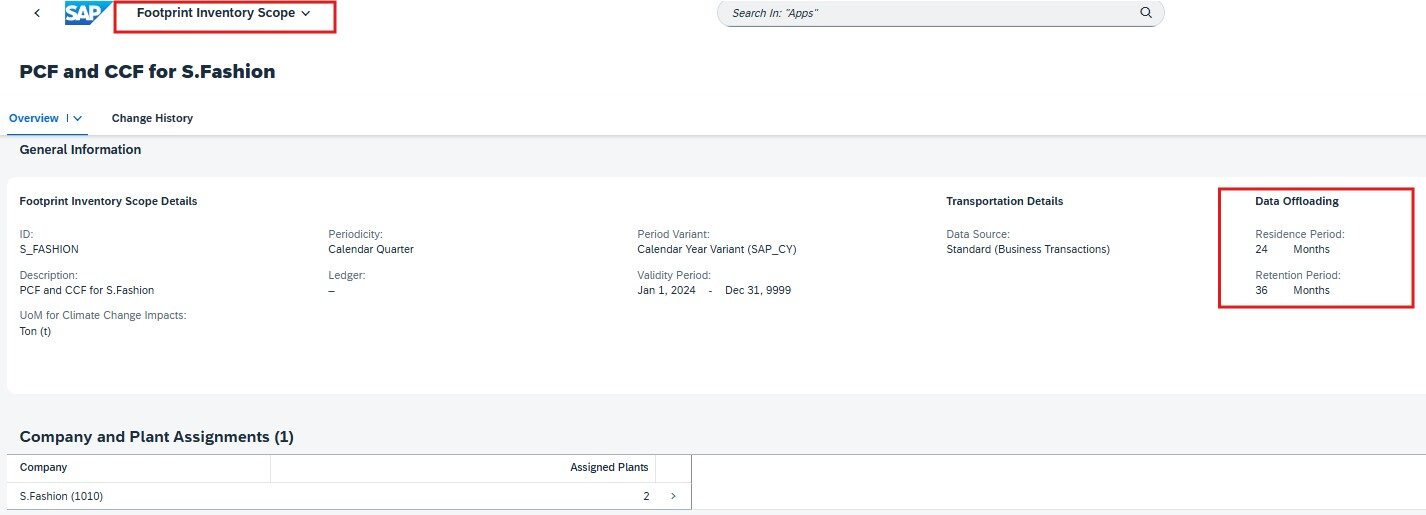
After the retention period ends, the data can be permanently deleted. These settings ensure compliance with data retention requirements while providing flexibility to manage system load.
New App: Manage Footprint Data Offloads
- The newly introduced Manage Footprint Data Offloads app enables you to:
- Offload calculated footprint inventories after the residence period
- Download offloaded data as JSON files
- Permanently delete offloaded data after the retention period ends
- Resume failed offload or deletion processes
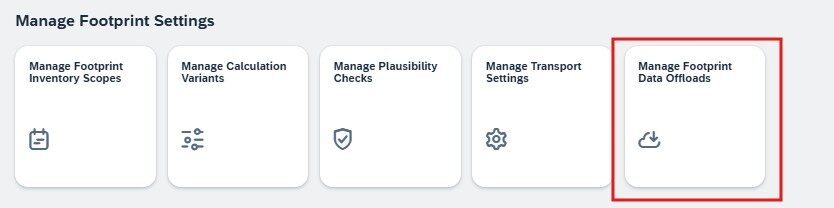
Important: Offloading is irreversible. Once data is offloaded and deleted from the system, it cannot be restored. The app is available in the Manage Footprint Settings group on the SAP Fiori launchpad.
Updates in Calculate Footprints
The Calculate Footprints app has been enhanced to improve transparency around data offloading. For each footprint inventory, you can now view:
Inventory History
Creation and modification dates
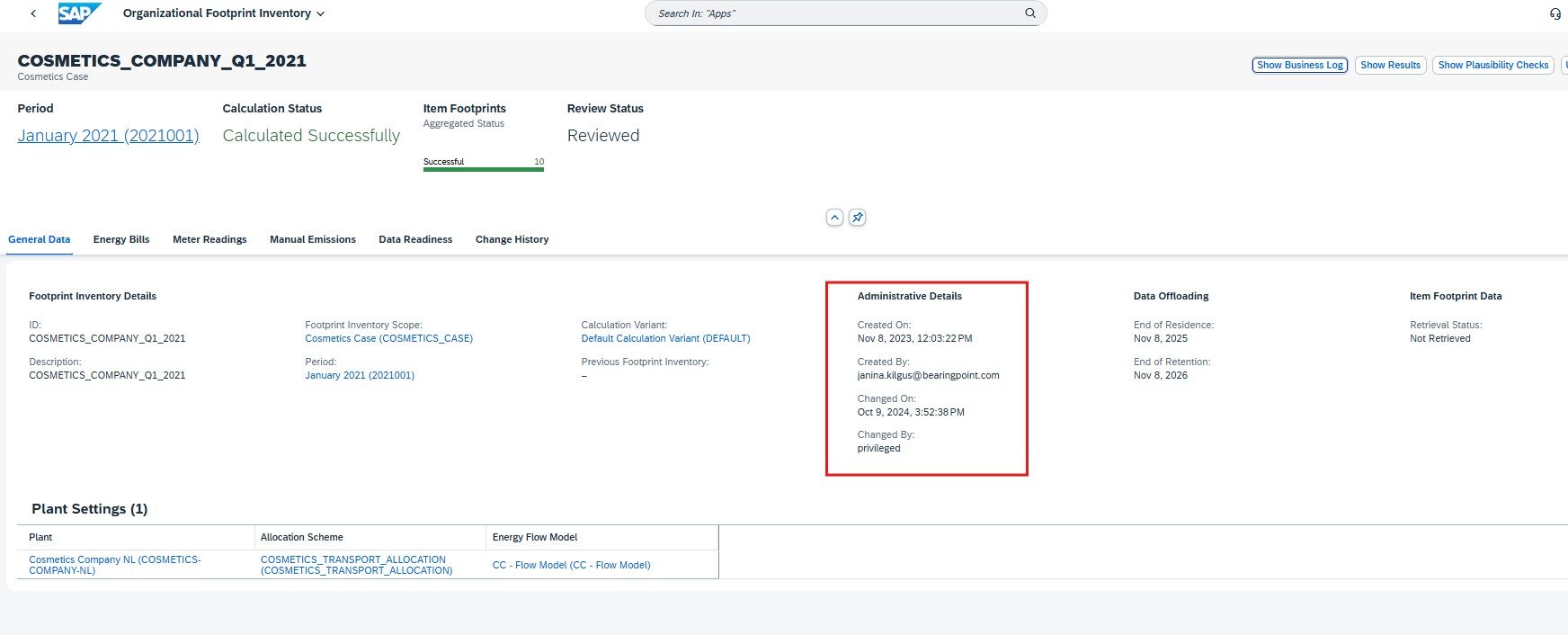
Data Offloading
Automatically calculated end dates for the residence and retention periods
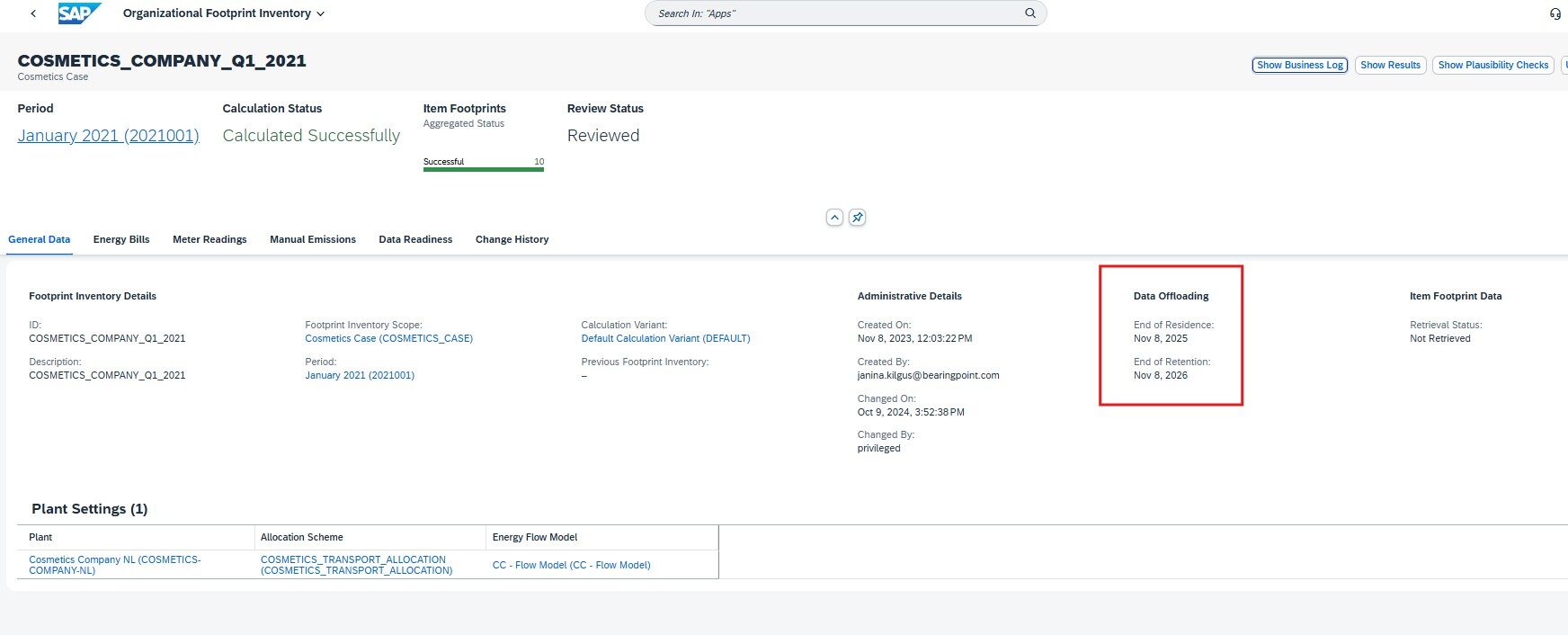
Item Footprint Data
Status indicating whether footprint results have been retrieved via APIs
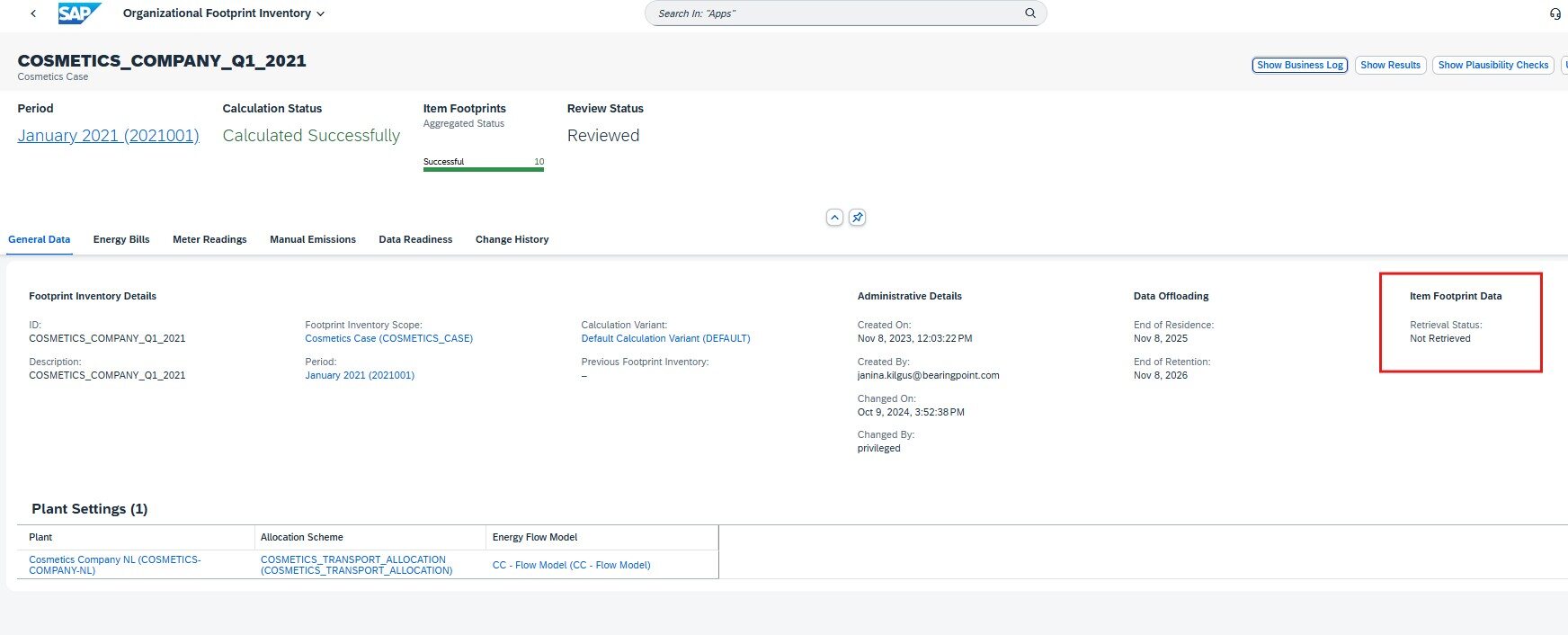
Once footprint results are retrieved using integration APIs, editing or deleting the footprint inventory is restricted and follows the offloading rules.
Secure, auditable, and controlled data handling
To support governance and compliance:
- Audit logs are updated when footprint inventories are offloaded
- Information on offloaded data storage is included in the Security Guide
- Access to the new app is controlled via dedicated roles
This ensures secure handling of sustainability data throughout its lifecycle.
What it means for existing customers
All footprint inventories created before the introduction of this feature are automatically migrated:
- Residence period: 24 months
- Retention period: 36 months
This ensures a smooth transition without disrupting existing sustainability processes.
Important: Please review all your existing footprint inventory scopes and calculations to verify whether the default residence and retention periods meet your requirements. If needed, you can adjust these periods to align with your data governance and reporting needs.
Supporting sustainable data management
With the ability to offload calculated footprint inventories, SAP Sustainability Footprint Management helps organizations balance data transparency, system efficiency, and sustainability goals—ensuring footprint data remains available when needed and archived responsibly when it is not.