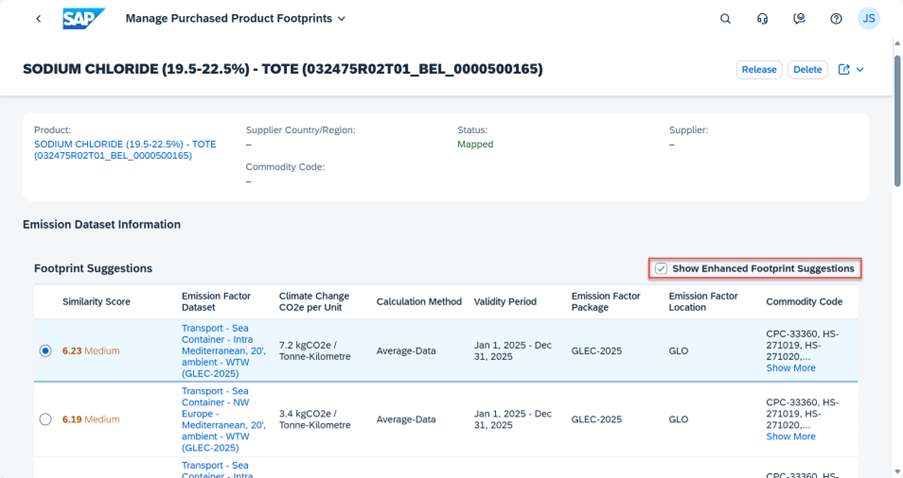
What has changed?
1. New weighting of similarity criteria (default)
When “Show Enhanced Footprint Suggestions” is enabled (default):
- Statistical commodity code (HS/CN) → highest weighting
- Text similarity (product name, description)
- Country / Region
Objective: to achieve higher matching accuracy, especially for regulated, material-specific, or process-specific products.
2. Previous logic still available (fallback)
When the option is disabled, the similarity score is calculated using the previous order:
- Text similarity → highest weighting
- Country / Region
- Statistical commodity code
This approach is recommended when:
- no suitable commodity group exists in the available emission factor data packages
- product names are very generic
- HS/CN codes are missing or inconsistently maintained
Important Functional Note (Troubleshooting)
If Enhanced Footprint Suggestions are enabled and the AI-generated results do not appear plausible, this is often because the product’s commodity group is not available in any of the emission factor data packages delivered with the solution.
SAP recommendation:
- Disable the “Show Enhanced Footprint Suggestions” option
- Re-evaluate the results using the previous (text-based) similarity logic