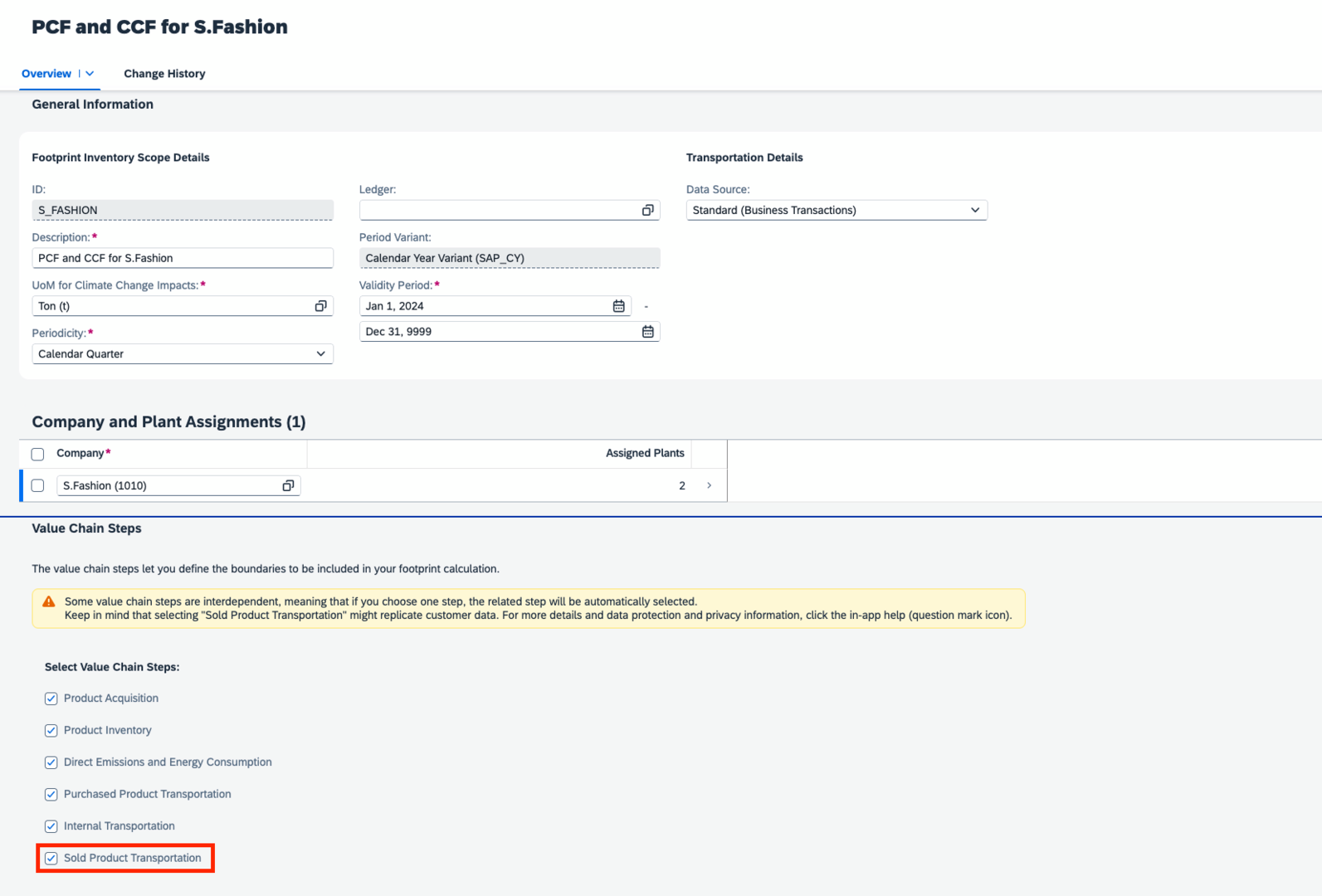
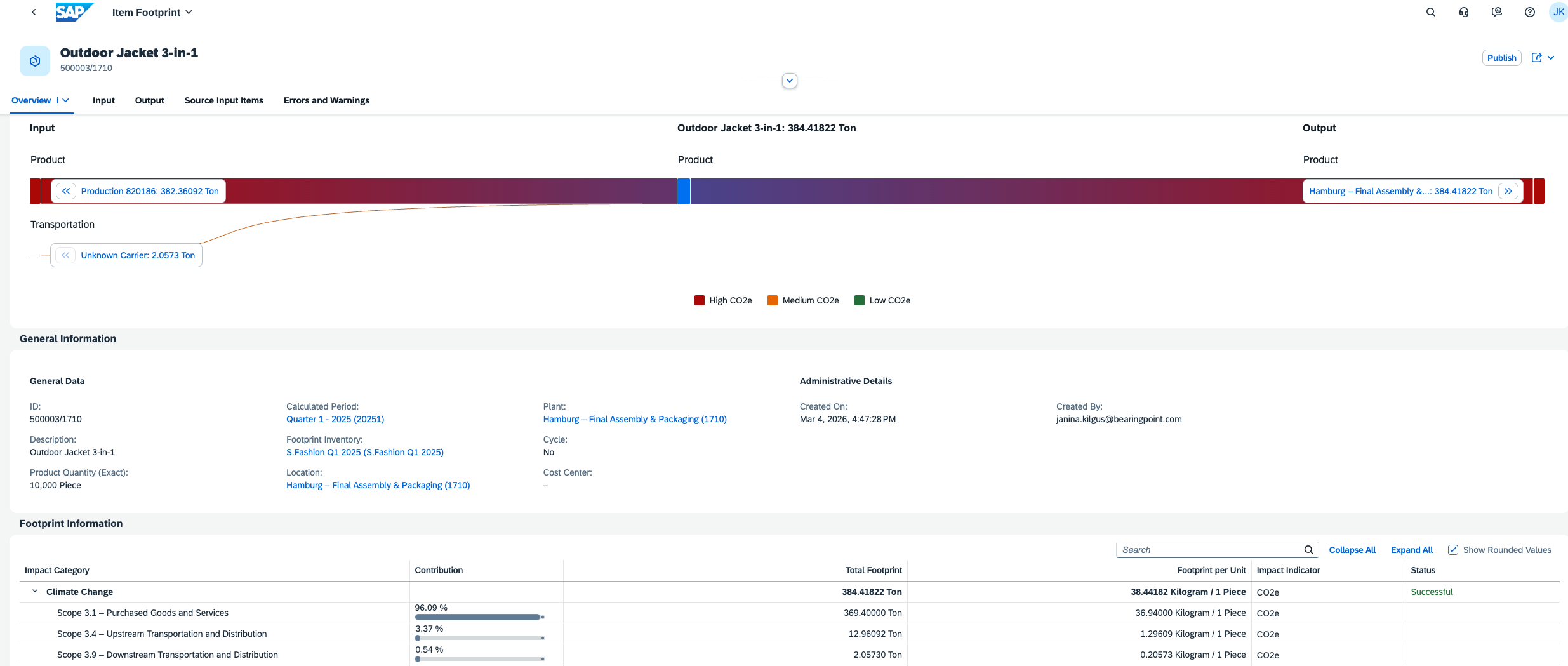
Customer transport activities are generated using your master data, relevant business transactions (Goods Issue for Customer and Customer Return), and the configuration settings for customer transports. Business partners now also include customers and their addresses, which automatically create corresponding locations in SFM. After adding the value chain step Sold Product Transportation to your inventory scope and defining the relevant modes of transport between your plants and customers, you can generate transport activities, including automatic routing. The related transport footprints are then calculated accordingly.
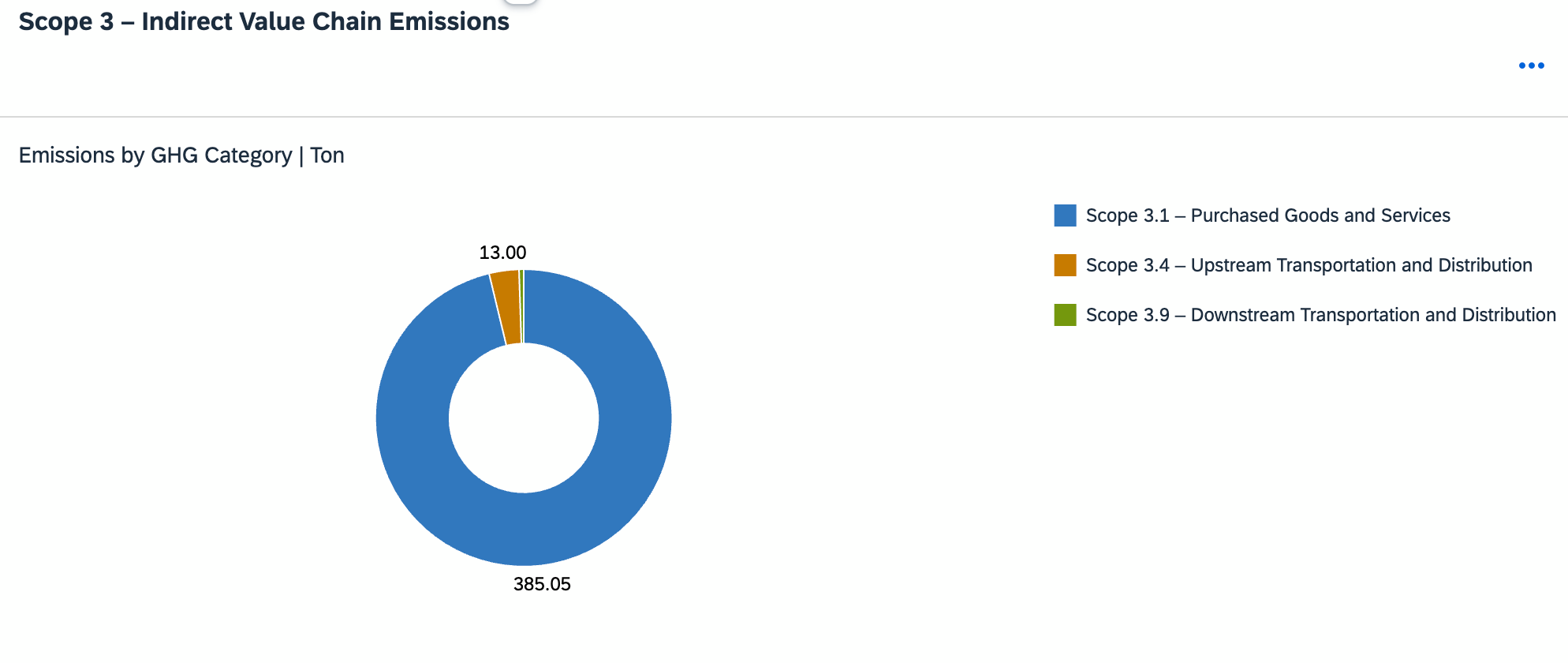
The calculated results are then incorporated into the overall footprint calculation and can be analyzed in various analytics applications, such as the Footprint Overview app.